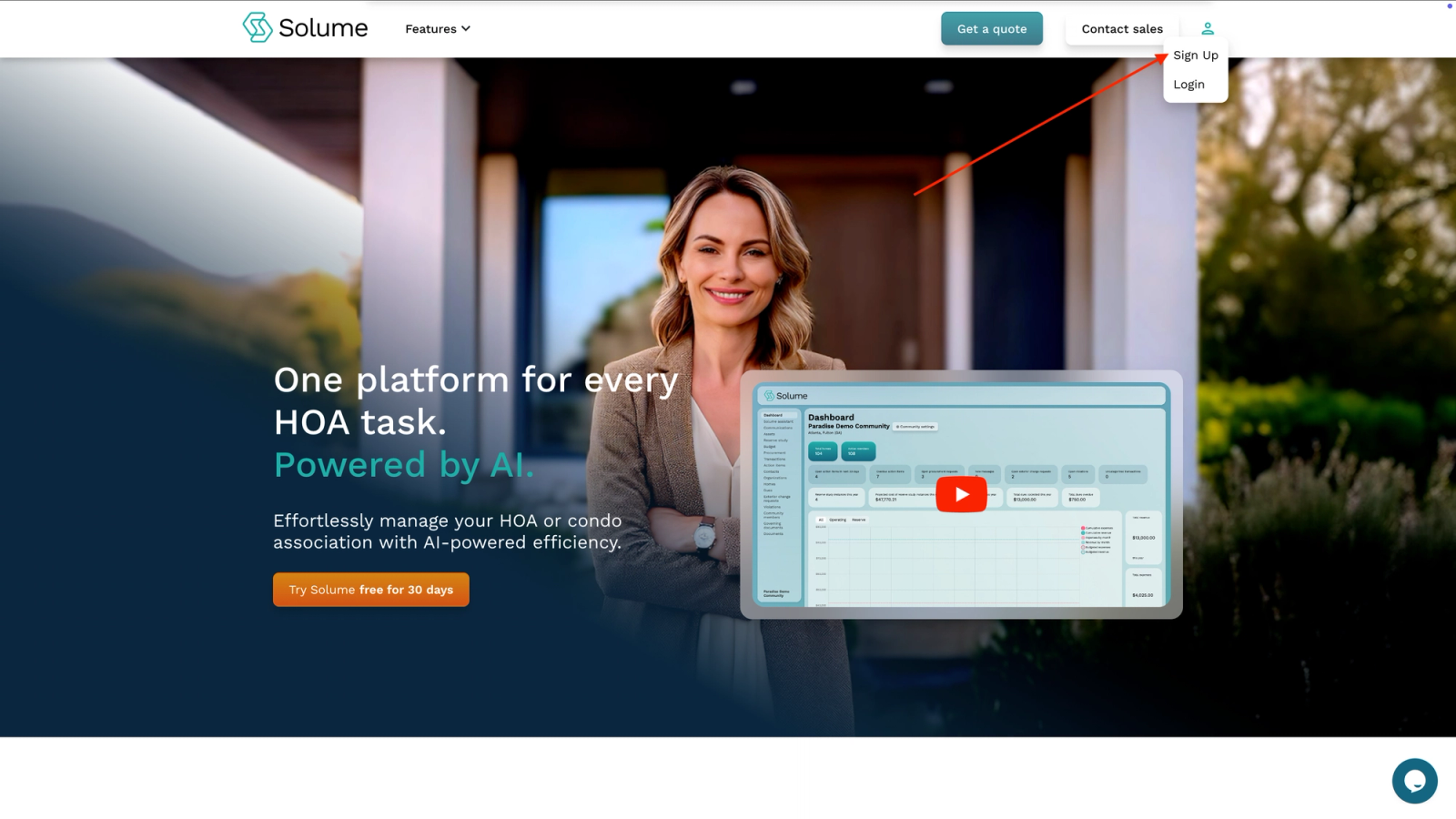
In order to log into your community’s management app for the very first time, you’ll need to:
- Visit community.solume.com
- Click the person-looking icon in the upper right hand corner of the window
- Select Sign-Up
- Input your community’s 8-digit access code (this access code is exclusively for the board, not homeowners.)
- If you do not have a code, contact your administrator.
- The name of your community should be displayed. Click “Yes, continue” if your community’s name is displayed, or “No, that’s wrong” if this is not your community.
- Once you click yes, you’ll be taken to your dashboard.
This short video walks you through accessing your account for the first time.