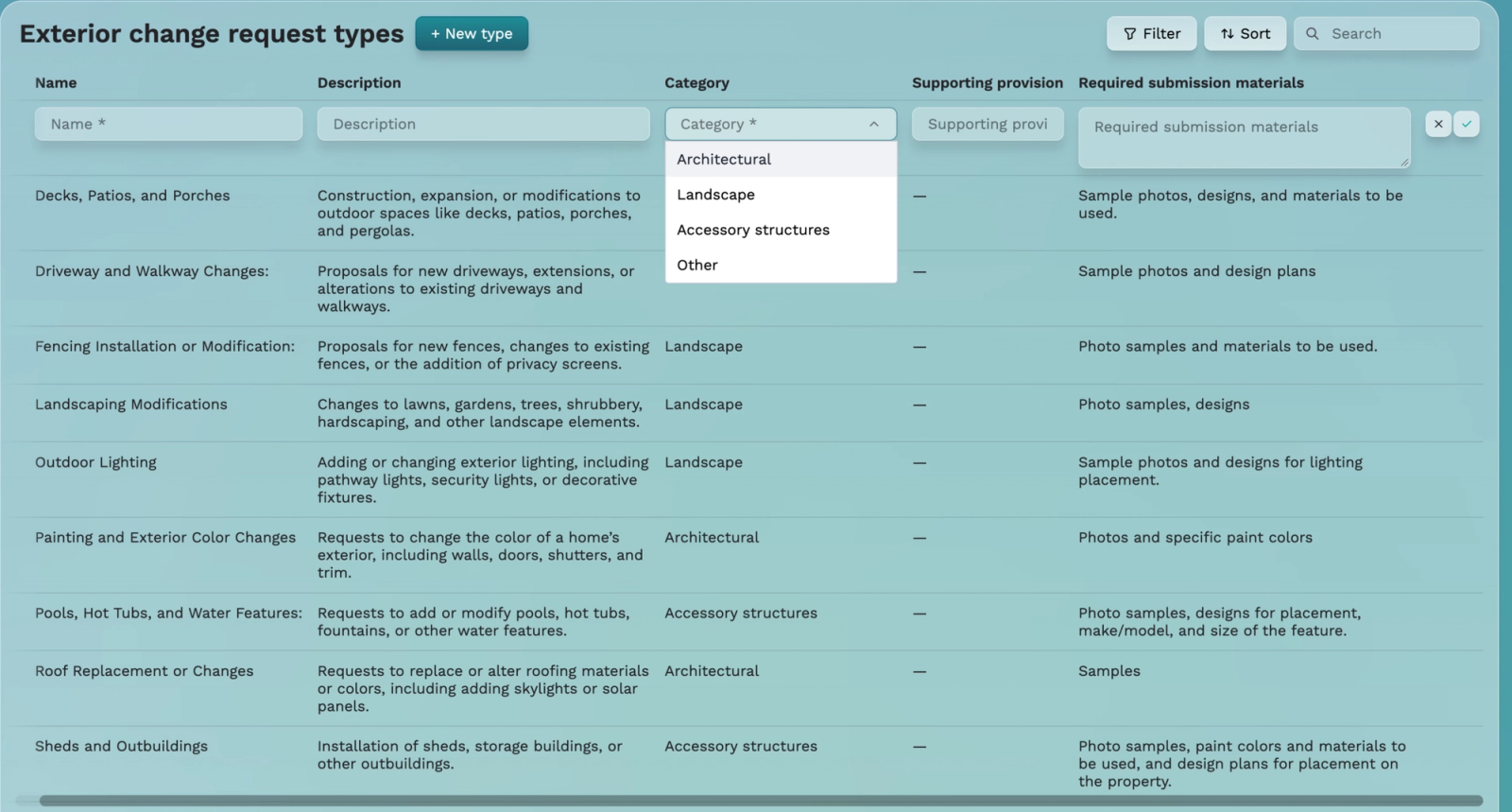
Review draft: Exterior change request types
Joe also called these architectural or ACC requests. Configure the exterior modifications requiring approval under your community governing documents. Examples depend on the community. This configures request types, not an actual homeowner request.
1. Select + New type.
2. Enter Name and Description.
3. Choose Category: Architectural, Landscape, Accessory structures, or Other. All four labels were captured.
4. Cite the governing rule in Supporting provision.
5. Specify Required submission materials.
6. Save with the checkmark or cancel with X.
Architectural concerns the physical structure, unit, or house. Landscape covers landscaping and hardscape. Accessory structures may include a garage, pool, hot tub, or basketball hoop, depending on the community. Other is a catch-all. Materials may include photos, blueprints, color samples, or licenses required by the committee.
Future crosslink: add the approved exterior-request submission guide when available. No URL is assigned. No actual request was submitted here.