Review draft: Community portal access
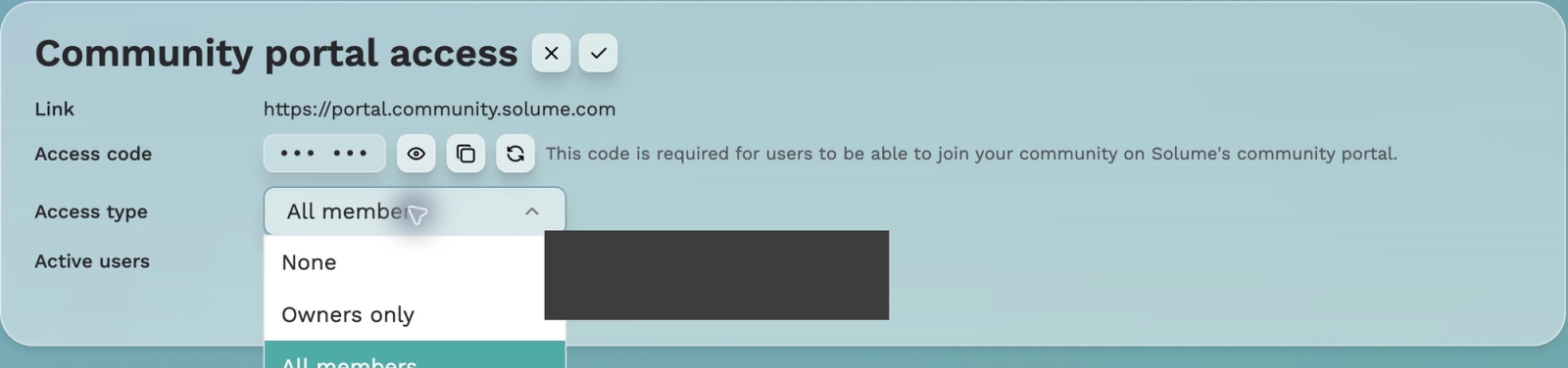
The Community portal is homeowner-facing and separate from the management app. Settings shows its Link, masked Access code, Access type, and Active users.
1. Select the pencil beside Community portal access.
2. Choose Access type: None, Owners only, or All members. These exact labels were verified in the supplemental menu capture.
3. Save with the checkmark, or cancel with X.
The code is hidden by default. The eye reveals it and Copy copies it. Joe advised rotation only for a security issue. Do not include codes in screenshots. No access choice was changed or saved for this guide.
Review needed: exact role inclusion for each choice and effects of rotation or access changes on existing sessions.